How to Translate Text Privately Without Sending It Online
Written by Majidul Bari · Updated
Online translators are convenient, but whatever you paste is sent to a server. For contracts, medical letters, HR documents or private messages you may prefer that the text stays on your computer. The AI Translator runs open translation models in your browser, so the text is never uploaded.
Steps
- Open the AI Translator and choose the source and target languages.
- Paste up to 5,000 characters of text.
- Choose Translate. The first time, the model for that language direction downloads, about 110 MB.
- Review the translation and copy it. Use Text to Speech to listen to it if you want to check how it sounds.
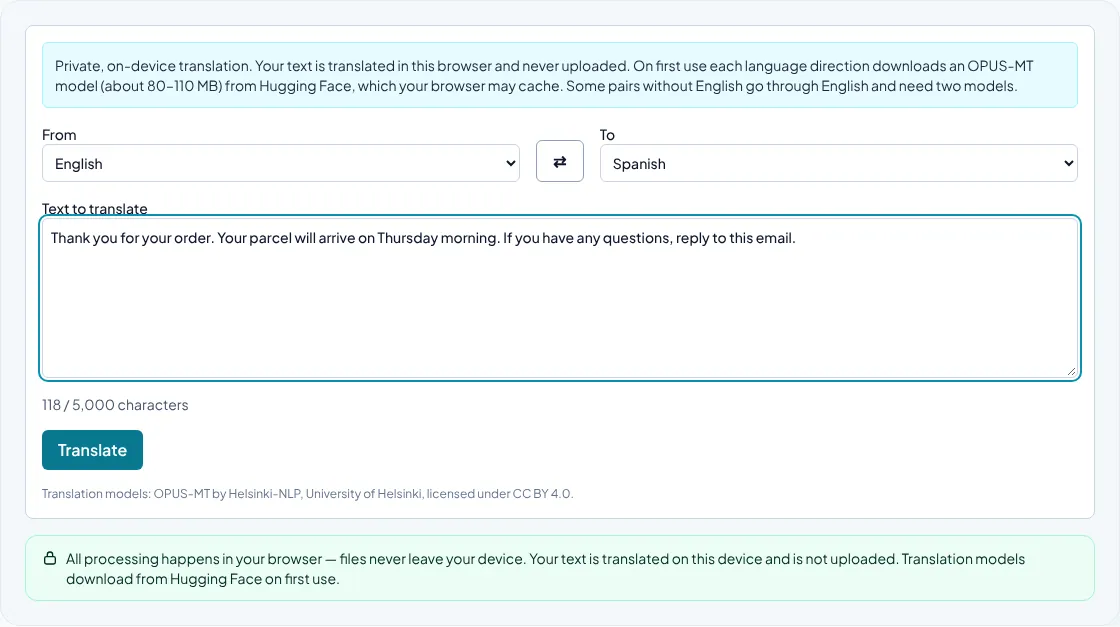
How private translation works
The tool uses OPUS-MT models from the University of Helsinki. Each model translates one direction, such as English to Spanish, and is small enough to run on a normal computer. Your browser downloads the model once and keeps it in its cache; the text you translate stays in the page.
Most translations between two languages other than English, such as Dutch to Italian, go through English and need two models. A few common pairs, such as Spanish–French, Spanish–German and French–German, have a direct model. That can add small errors, so check those translations more carefully.
When machine translation is good enough
Machine translation is very useful for understanding a document, replying to a routine email or producing a first draft. It struggles with idioms, humour, ambiguous sentences, names and specialist terms, and it cannot know the level of formality you need.
For anything legal, medical, financial or published, ask a fluent speaker or a professional translator to review the result.
Tips for better translations
Write short, complete sentences in the source text and avoid slang. Keep paragraphs separate: the tool preserves your paragraph breaks. Check numbers, dates and names in the output, because formats differ between languages, for example decimal commas in Czech and Spanish.
Common questions
Which languages are available?
English, Spanish, French, German, Italian, Dutch, Swedish, Finnish, Czech, Russian, Arabic, Hindi and Chinese, in any combination. Some pairs, such as Spanish and French, have a direct model; other pairs without English are translated via English.
Can I use it offline?
After a language direction has been downloaded and cached, translation itself runs on your device. Whether the page works fully offline depends on your browser's cache.