How to Transcribe Audio to Text for Free (and Make Subtitles)
Written by Majidul Bari · Updated
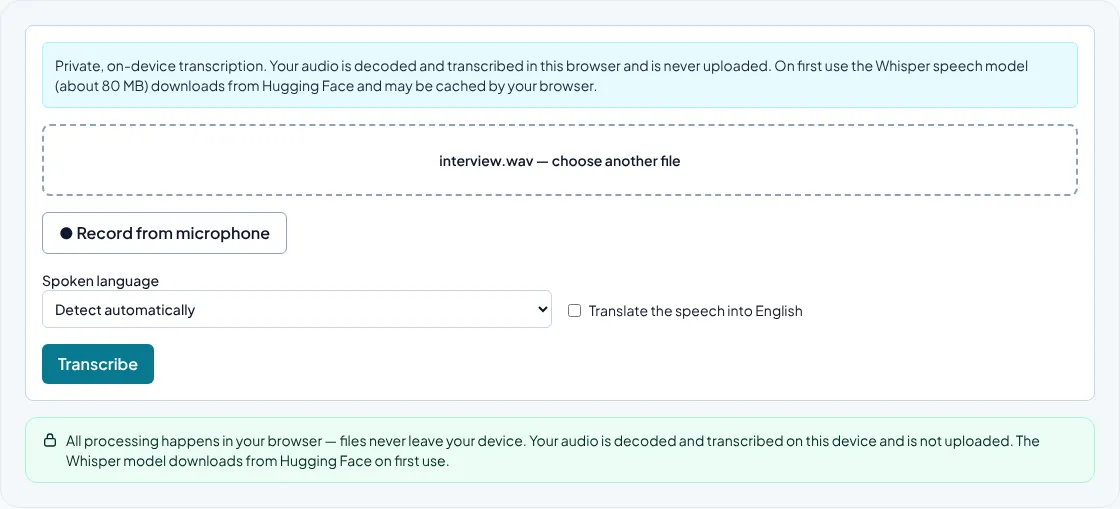
Automatic transcription turns speech into text in minutes: meeting recordings, lectures, podcasts, voice notes or the audio track of a video. The Speech to Text tool uses Whisper, an open speech recognition model, directly in your browser, so recordings with personal or confidential content are not uploaded to a transcription service.
Open Speech to Text (Transcription)
Steps
- Open Speech to Text and choose an audio or video file of up to 30 minutes, or record from your microphone.
- Select the spoken language, or leave it on automatic detection.
- Optionally tick Translate the speech into English.
- Choose Transcribe, then edit the text and download it as .txt, .srt or .vtt.
Recording tips for better accuracy
Clear audio matters more than anything else. Record close to the speaker, in a quiet room, and avoid music or several people talking at once. A cheap headset microphone often beats a laptop's built-in microphone across the room.
If you know the language, select it rather than relying on detection, especially for short clips. Names, brands and technical terms are the words most often misheard, so check them carefully.
Text or subtitles?
Choose .txt for notes, articles and searchable archives. Choose .srt or .vtt when you need captions: SRT is accepted by most video editors and platforms, and WebVTT is the standard caption format for video on web pages.
Subtitle timings are approximate because the model predicts them from 30-second windows. Open the file in a subtitle editor and adjust lines that start too early or too late before publishing.
How long does it take?
Everything runs on your own computer or phone. A modern laptop usually transcribes faster than the recording plays; an older phone can take several times longer. The first run also downloads the model, about 80 MB, which your browser then keeps in its cache.
For long recordings, split the file into parts or convert it to a common format first. The Audio to WAV converter can help when a browser cannot decode an unusual file.
When to use a human transcriber
Automatic transcripts are excellent drafts but not verbatim records. For legal, medical or published material, have a person review the text. The tool does not label speakers, so add names yourself in interviews.
Common questions
Is my recording uploaded?
No. Decoding and transcription happen in your browser. Only the model files are downloaded.
Which languages are supported?
Whisper was trained on many languages, including English, Spanish, German, French, Czech, Portuguese, Hindi and Bengali. Accuracy is highest for widely spoken languages with clear audio.
Can I transcribe a YouTube video?
Only files you have on your device. If you have the right to use the video, download or export it first and then choose the file.